
Your Business Tools Should Speak Your Language: Meet BizMitra's Three Editions
One receptionist, three editions: how Biz-Mitra gives schools, hospitals and businesses a front desk that already speaks their language.
Every organization has a front desk, whether it's a reception counter, a phone line or the chat bubble in the corner of a website. It's where first impressions are made and where most everyday questions land: What are your timings? How do I apply? Which doctor is in today?
AI chatbots promised to take this load off busy teams, and in many ways they have. But anyone who has tried to set one up for a school, a clinic or a growing business knows the catch. Most platforms are built to be everything to everyone, and that means they fit nobody quite right.
The problem with "one size fits all"
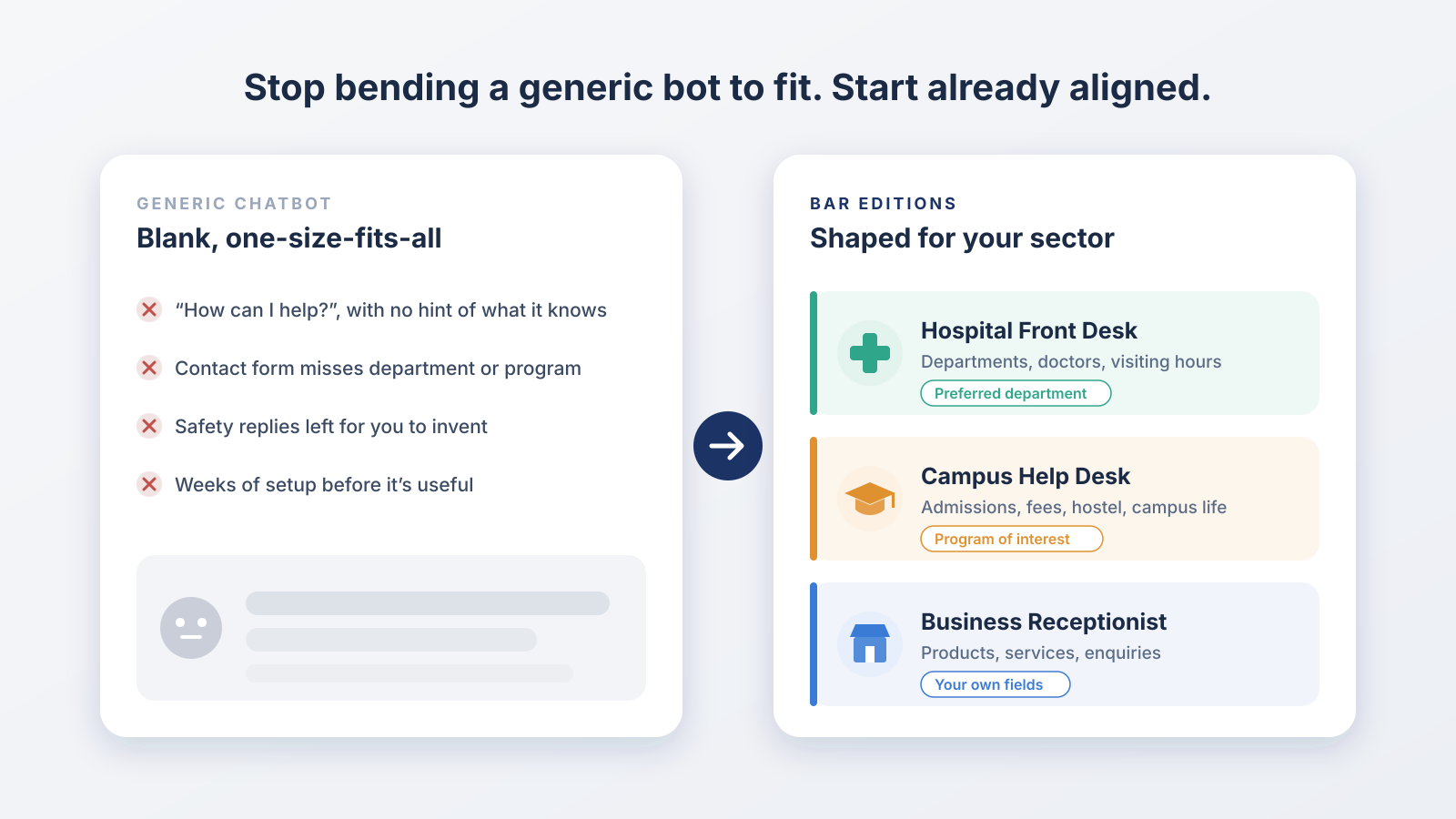
A typical generic chatbot platform gives you a receptionist bot and, often, a set of supporting agents for marketing, customer follow-up or accounts. On paper that's a complete toolkit. In practice, every piece of it starts out blank and neutral, and the work of making it useful falls on you. Here's what that usually looks like:
- The greeting doesn't fit. A parent visiting a university website is met with "How can I help you today?" It's polite, but it gives no hint that the bot knows about admissions, fees or hostels, so many visitors don't bother asking.
- The contact form asks the wrong questions. A generic lead form collects a name, an email and maybe a company name. A hospital needs to know the preferred department. A college needs to know the program a student is interested in. Without those details, your team has to call every lead back just to find out what they wanted.
- Sensitive moments get generic answers. In a hospital, a visitor typing about chest pain or an emergency needs a fixed, clear instruction, every time. A general-purpose bot that improvises its replies is a risk nobody should accept.
- Setup becomes a project of its own. To close these gaps, someone has to write instructions for the bot, rename it, redesign forms, decide what to say when it doesn't know an answer and test it all. For a small admin team, that can take weeks.
- The agents behind it don't connect. When the receptionist captures a lead without the right context, the marketing and customer-management tools downstream inherit the same gaps.
None of these problems is dramatic on its own. Together, they explain why so many website chatbots end up ignored by visitors and quietly switched off by the teams that installed them.
What changes when the platform already knows your domain
Now imagine starting from a receptionist that's already shaped for your sector, not one you have to bend into shape yourself.
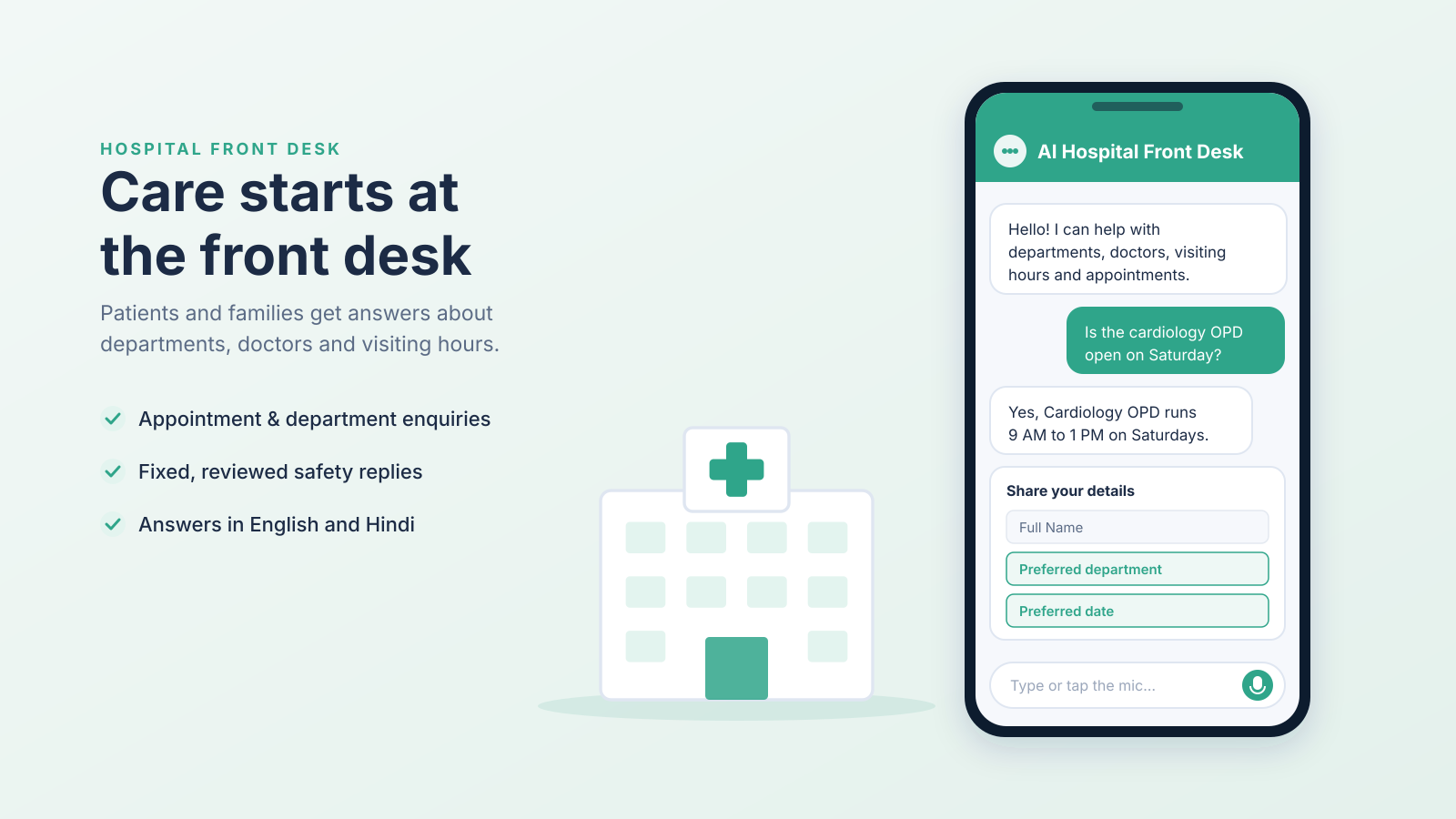
For a hospital, the assistant opens by offering help with departments, doctors, visiting hours and appointments. A patient's family member doesn't have to guess what to ask. When they share their details, the form can also capture what the hospital actually needs, such as the department they're looking for or a preferred appointment date. If a message contains words that signal urgency, the assistant responds with a fixed safety reply that your administrators have reviewed, rather than an improvised answer.
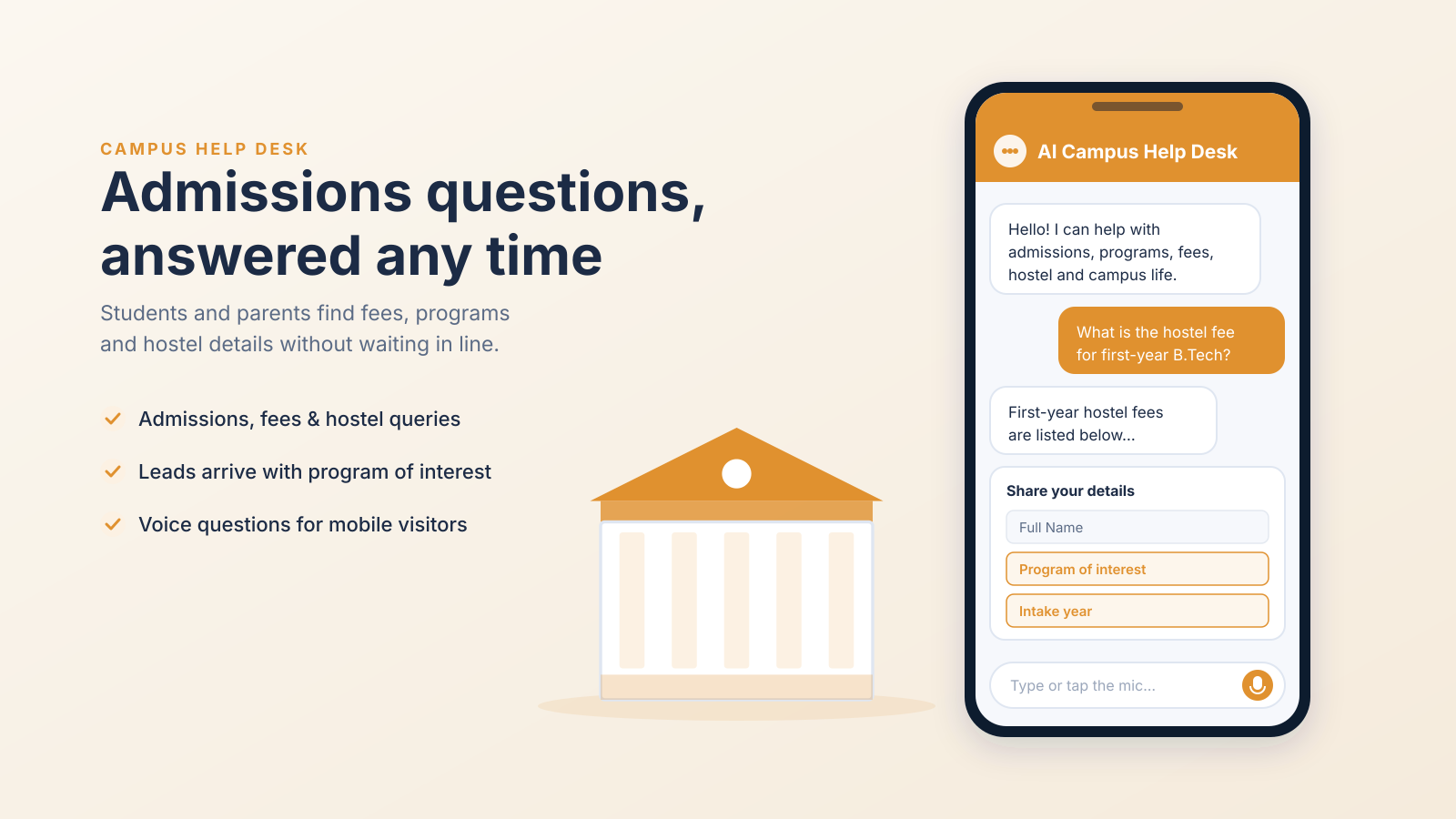
For a school or university, the assistant greets visitors with admissions, programs, fees, hostel and campus life. A prospective student asking about eligibility or a parent checking hostel facilities gets straight to useful answers. The lead form can ask for the course of interest or the intake year, so your admissions team receives enquiries that are ready to act on.
For a business, whether it's a shop, a services firm or a hotel, a clean, flexible receptionist answers questions about your products, services and policies, and captures enquiries for your team to follow up.
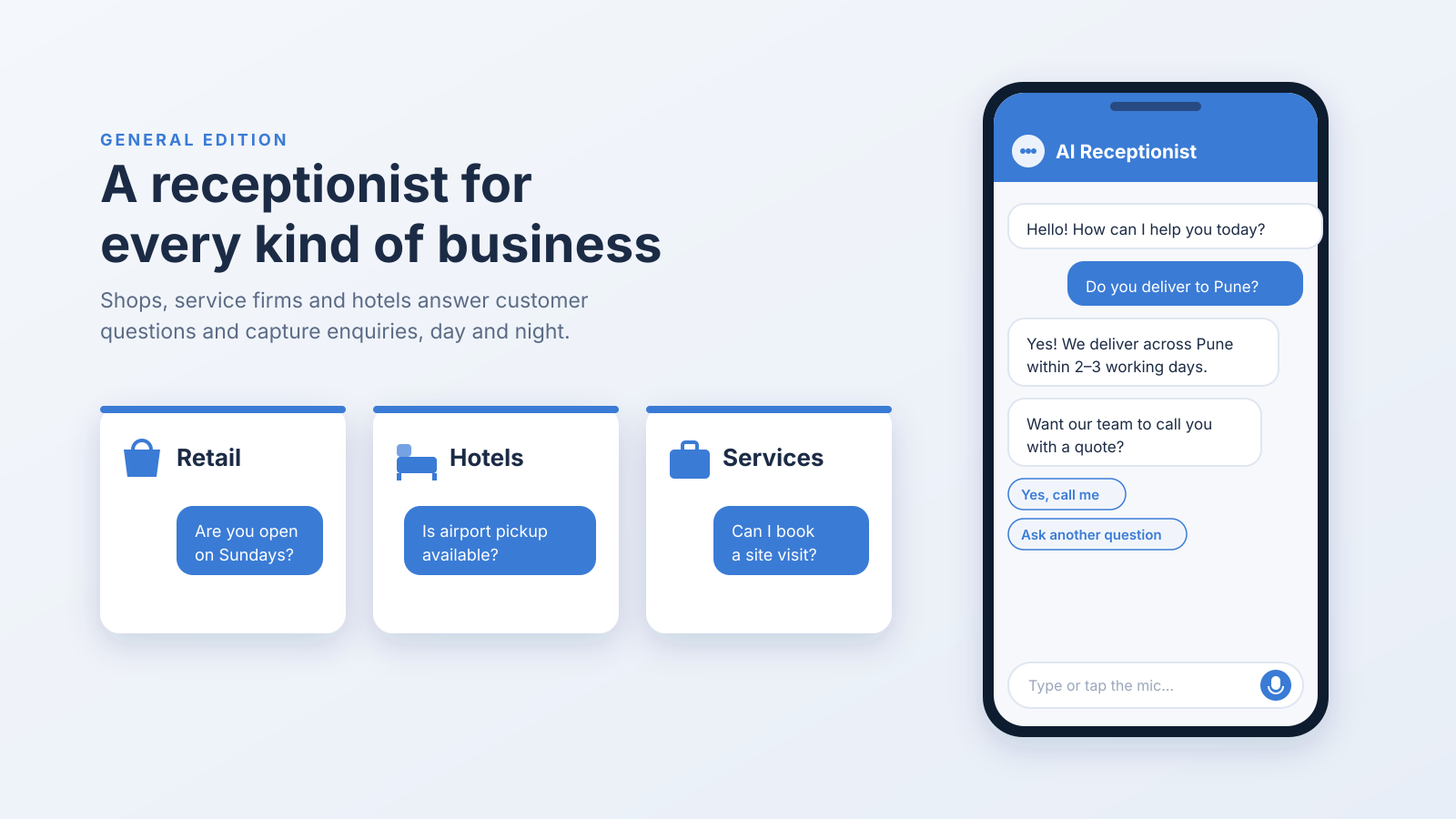
In each case, the core idea is the same: you shouldn't have to align yourself to the tool. The tool should arrive already aligned to you. You still add your own information and make it yours, but you begin from a sensible, sector-ready starting point instead of a blank page.
Introducing BAR v2.5: one receptionist, three editions
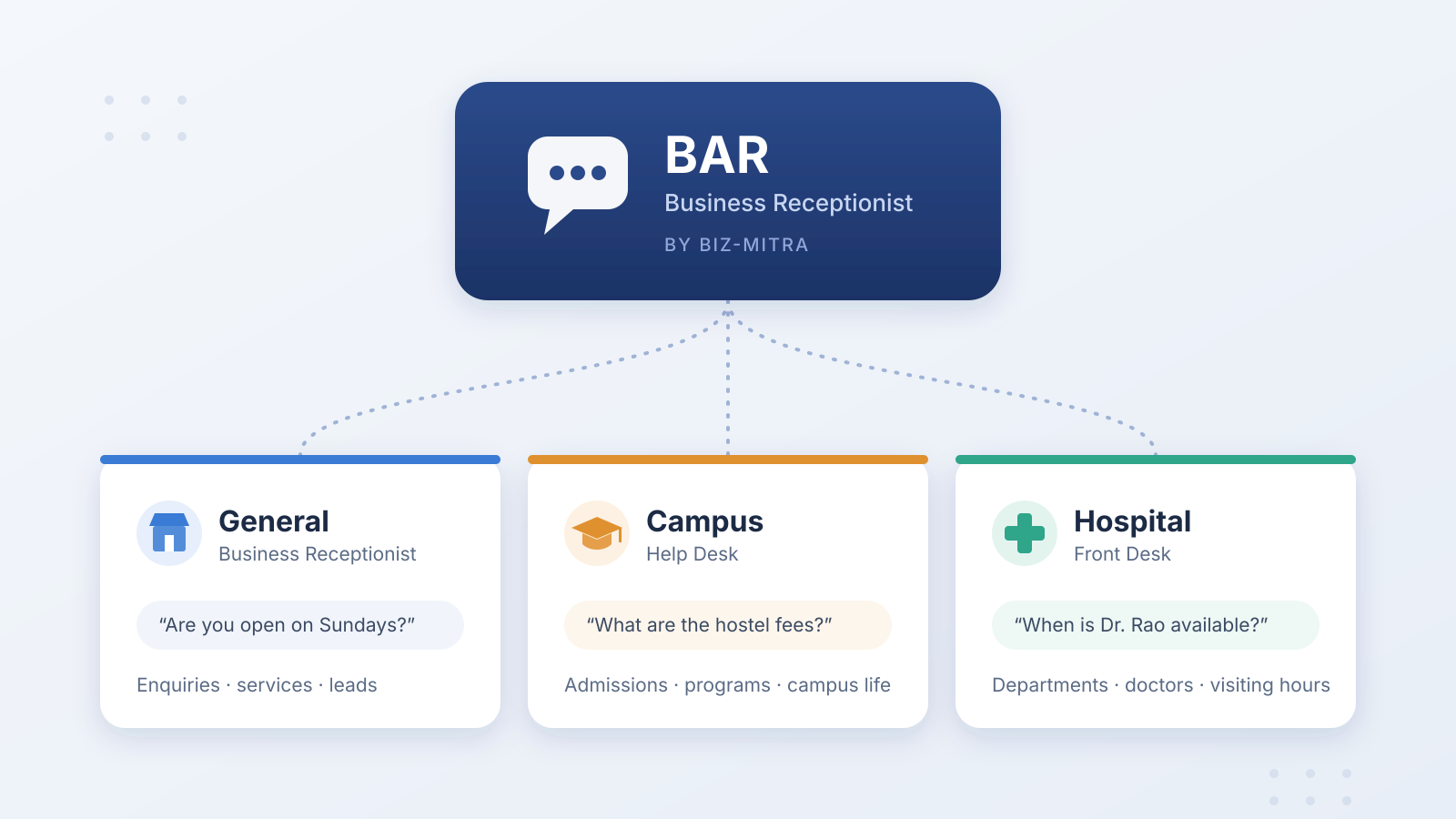
This is the thinking behind BAR, the Business Receptionist at the heart of Biz-Mitra. BAR is a chat assistant you add to your website. Your administrators give it your information through files, website links, written text and question-and-answer pairs, and BAR uses that knowledge to answer visitors' questions.
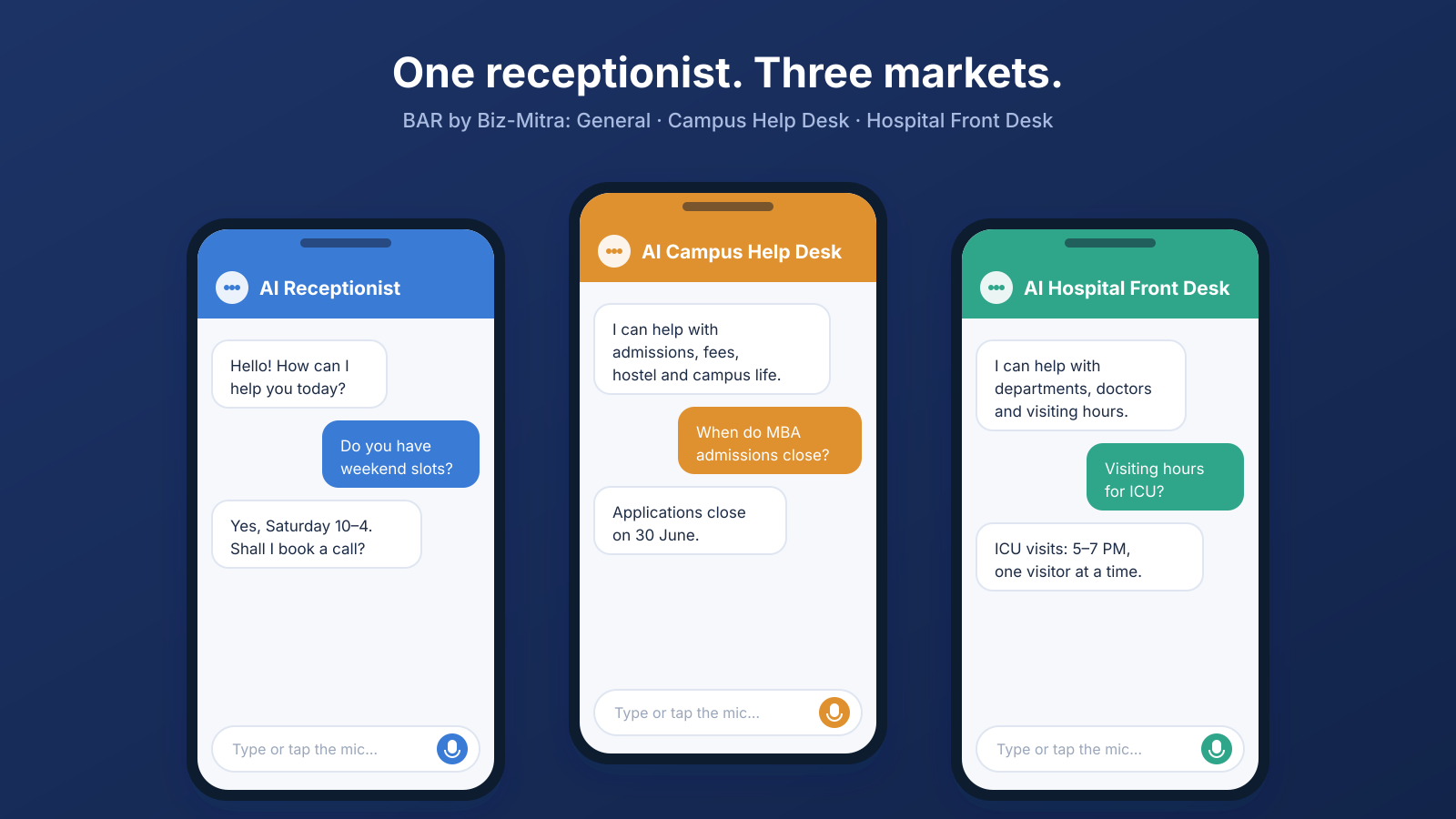
BAR now comes in three editions. You choose the one that matches your organisation when you create your account:
| Edition | Appears to visitors as | Built for |
|---|---|---|
| General (Standard) | Business Receptionist | Business information and customer enquiries |
| Education | Campus Help Desk | Admissions, courses, fees, hostel and student enquiries |
| Health Care | Hospital Front Desk | Departments, doctors, visiting hours, appointments and patient enquiries |
General is the flexible, all-purpose receptionist. It suits businesses of every kind and includes the common appearance controls: chat title, welcome message, logo and theme colours.
Campus Help Desk and Hospital Front Desk go a step further. Along with the same appearance controls, they come with sector-specific default wording and an editor that lets administrators fine-tune:
- the receptionist's name and the title shown above the contact form
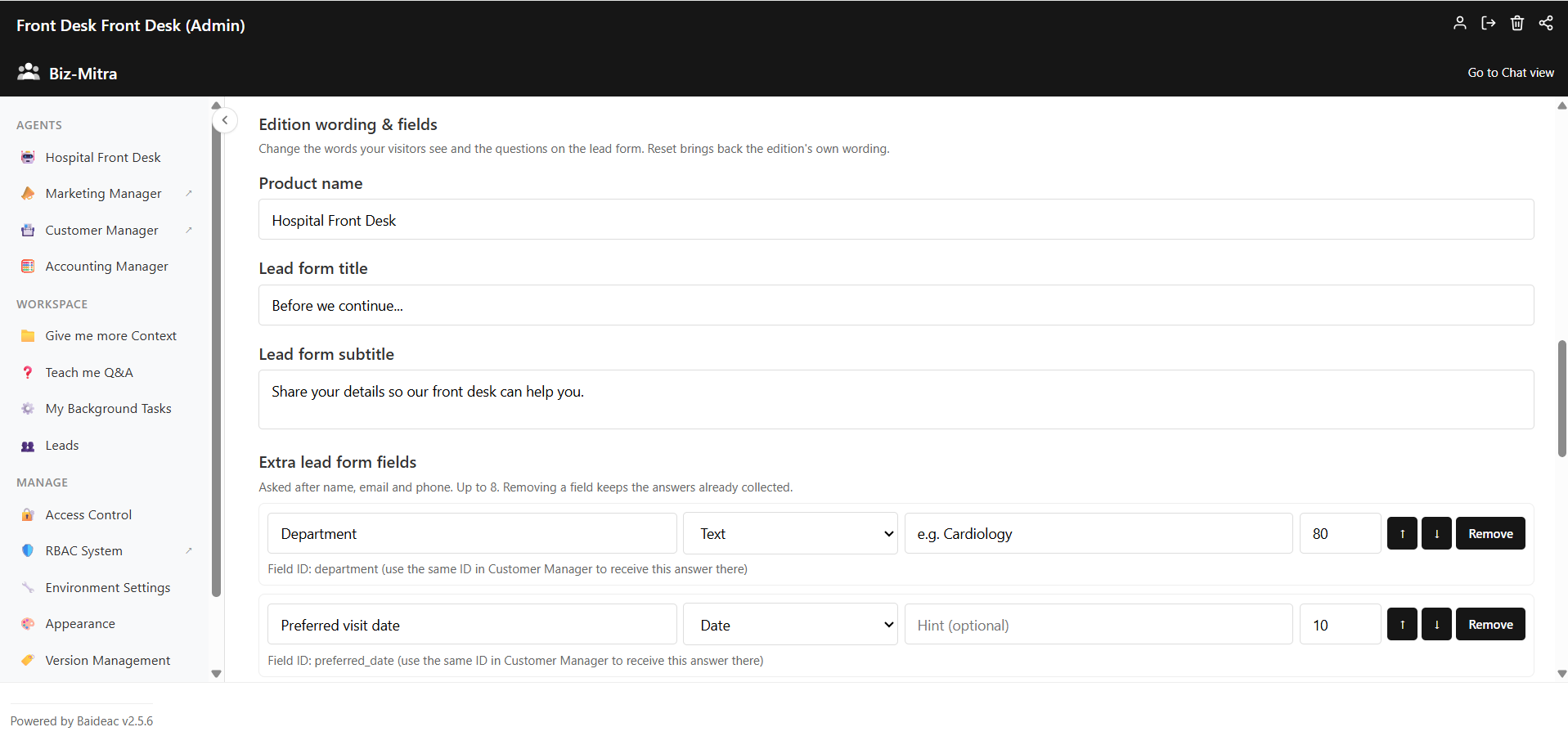
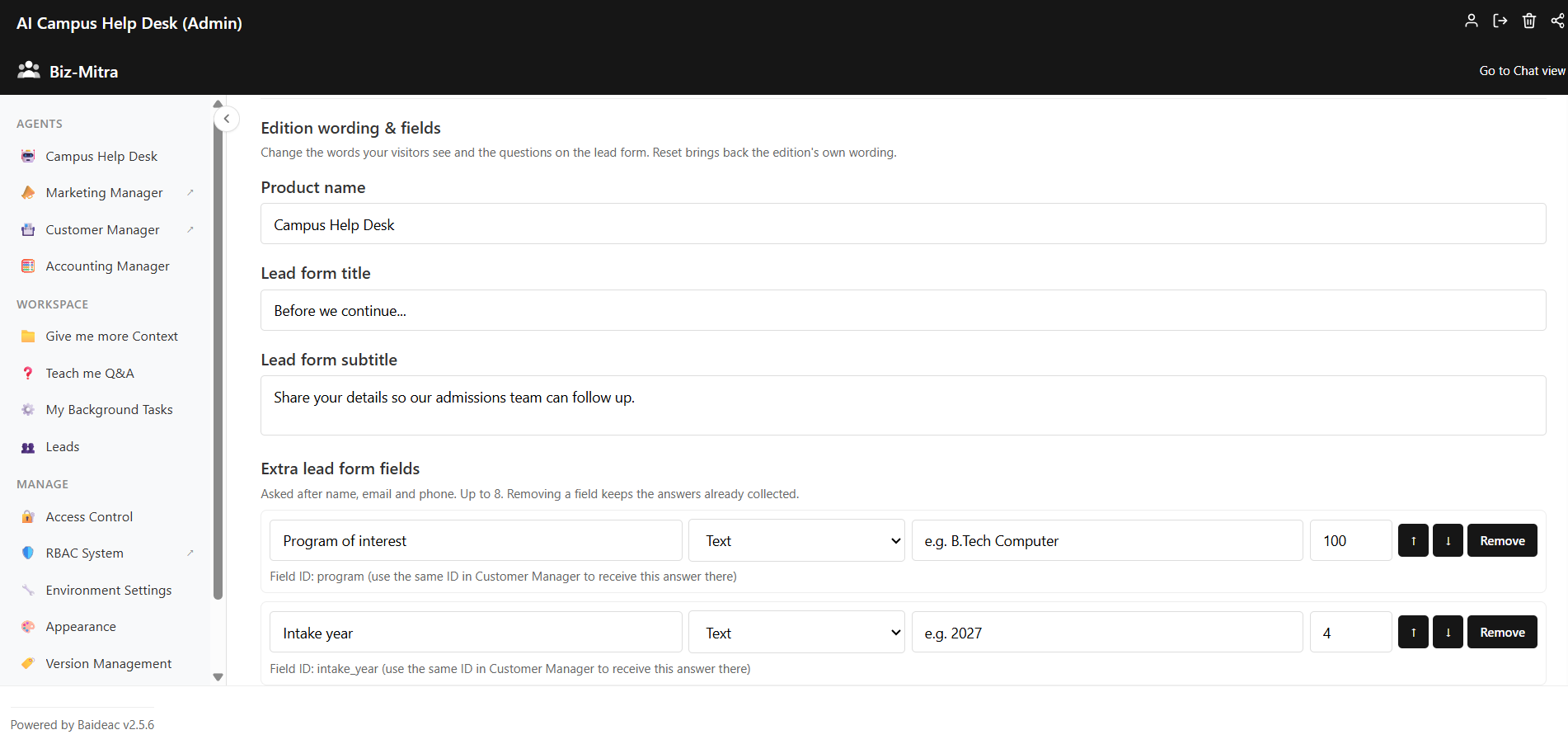
- up to eight extra lead-form fields (text, date, number, email or phone), such as "Program of interest" or "Preferred department"
- greeting replies and the message shown when BAR doesn't know an answer
- assistant instructions that guide which topics it should focus on
- safety replies: fixed responses for messages containing keywords you choose, with required safety rules always kept active
Here's how that looks in the BizMitra desktop app. In the Hospital Front Desk edition, the lead form asks for the visitor's department and preferred visit date:
In the Campus Help Desk edition, the same editor asks for the program of interest and intake year, and each field can be mapped to Customer Manager by its Field ID:
And if you ever want to start over, a single reset brings back the edition's defaults.
What every edition shares
Whichever edition you choose, the foundation is the same:
- Answers from your own information. BAR responds using the content you provide, so keeping it accurate keeps BAR accurate.
- English and Hindi. Visitors can ask in either language.
- Voice, photo and video. Visitors can speak their question and listen to the answer, which is especially handy on mobile. They can also capture a photo or video in the chat.
- No dead ends. When BAR can't answer, it offers follow-up options so visitors can reach your team instead of leaving with nothing.
- Lead capture that reaches your team. Visitors can share their name, email and phone number (or skip if they prefer). Administrators are notified by email, and captured leads can be exported as a CSV or sent straight to Customer Manager, Biz-Mitra's CRM, for follow-up.
- Room to grow. BAR sits alongside other Biz-Mitra agents, such as Marketing Manager and Customer Manager, with role-based access control so each team member sees what they need. (The connected services you get depend on your subscription.)
Choosing the right edition
The choice is simple. If you're a school, college or university, start with Campus Help Desk. If you're a hospital or clinic, start with Hospital Front Desk. For everyone else, General gives you a capable receptionist you can shape around your business. Each edition has its own account, so organizations that span more than one sector can run more than one.
Setting up takes minutes. Create an account in the Biz-Mitra Subscription Portal, choose your account type, request BAR, and it's typically ready to launch in about ten minutes.
Your front desk is often the first conversation someone has with your organization. With BAR, that conversation can start in your language, about the things your visitors actually came to ask.